NEFSC_lab_setup
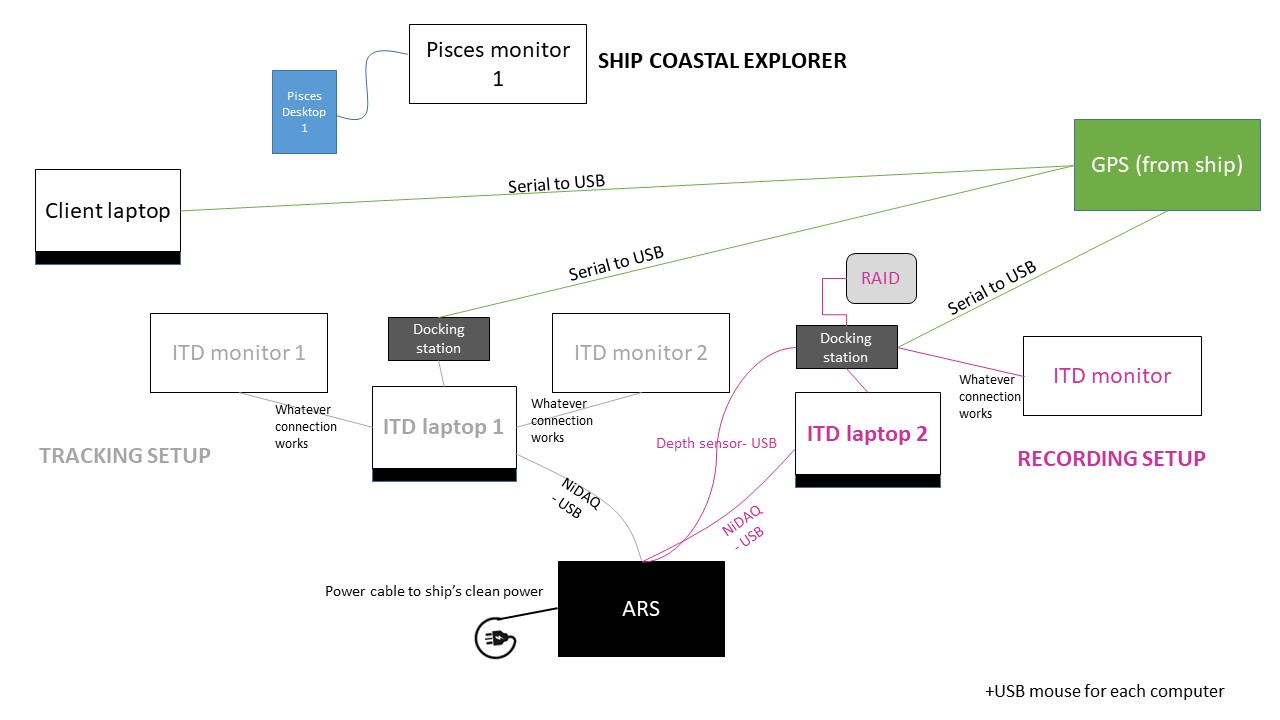
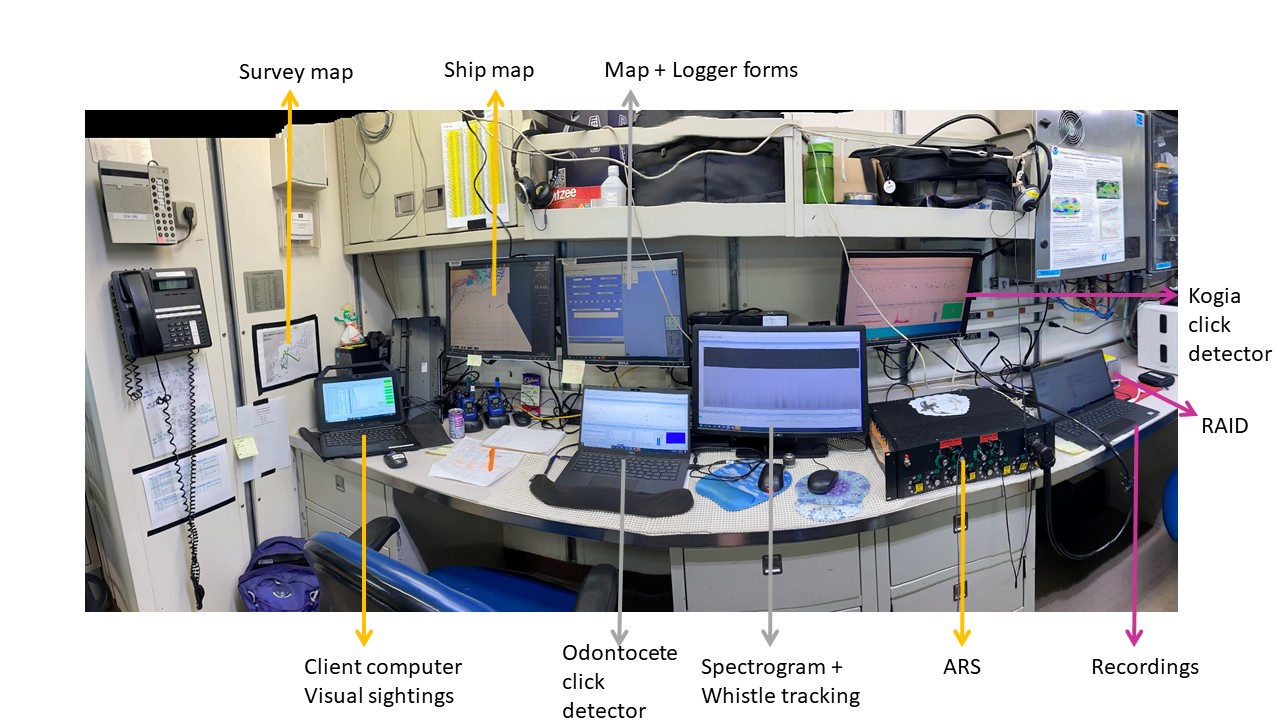
Client laptop: mirrors flying bridge visual team’s computer. To synch to the flying bridge computer, follow these instructions
Bigelow desktop 1: has a live map of which trackline we’re on (map provided by the Bigelow)
Bigelow desktop 2: unused (this is what the visual team will use to offload their photos at the end of the day)
ITD laptop 1: primary acoustic tracking computer. Data entry also to be done with this computer. Needs GPS feed from the ship
ITD laptop 2: recording computer and Kogia tracking computer. Needs GPS feed from the ship
ARS: analog to digital converter. Connects to the towed array via deck cable
ARS sound cards plug into the Recording and Tracking computers via black USB cables
Power connections for Towed array: White power cord at the back of the ARS. Plug into ship’s UPS strip
Depth sensor: White USB cable from the back of the ARS. Plug into the Recording computer