PAM QA/QC Tools
The PAMverse QA/QC tools available in the PAMscapes package provide analysts with four standard output figures to identify data gaps, compromised time periods or frequencies, and general recorder performance. Once the outputs are generated, they can be interactively viewed and annotated using a Shiny app. Those annotations can be exported for other data management purposes, such as the data quality fields in the Makara database. This process is adaptable to any recorder type that generates wav files, though it was originally developed for SoundTraps. Additional functionality in development includes a script that can clip wav files to remove time periods before deployment and after recovery. Full instructions for using the QAQC tools are available here.
The four figures include:
- Evaluation of frequency response: one-third octave levels (TOL) using the second minute of data from each file
- Evaluation of data gaps: Delta in Timestamps between wav file start times
- Evaluation of data gaps: Deviations in Expected Timestamps based of wav file lengths
- Evaluation of recorder performance (only for SoundTraps): internal temperature and internal/external voltage
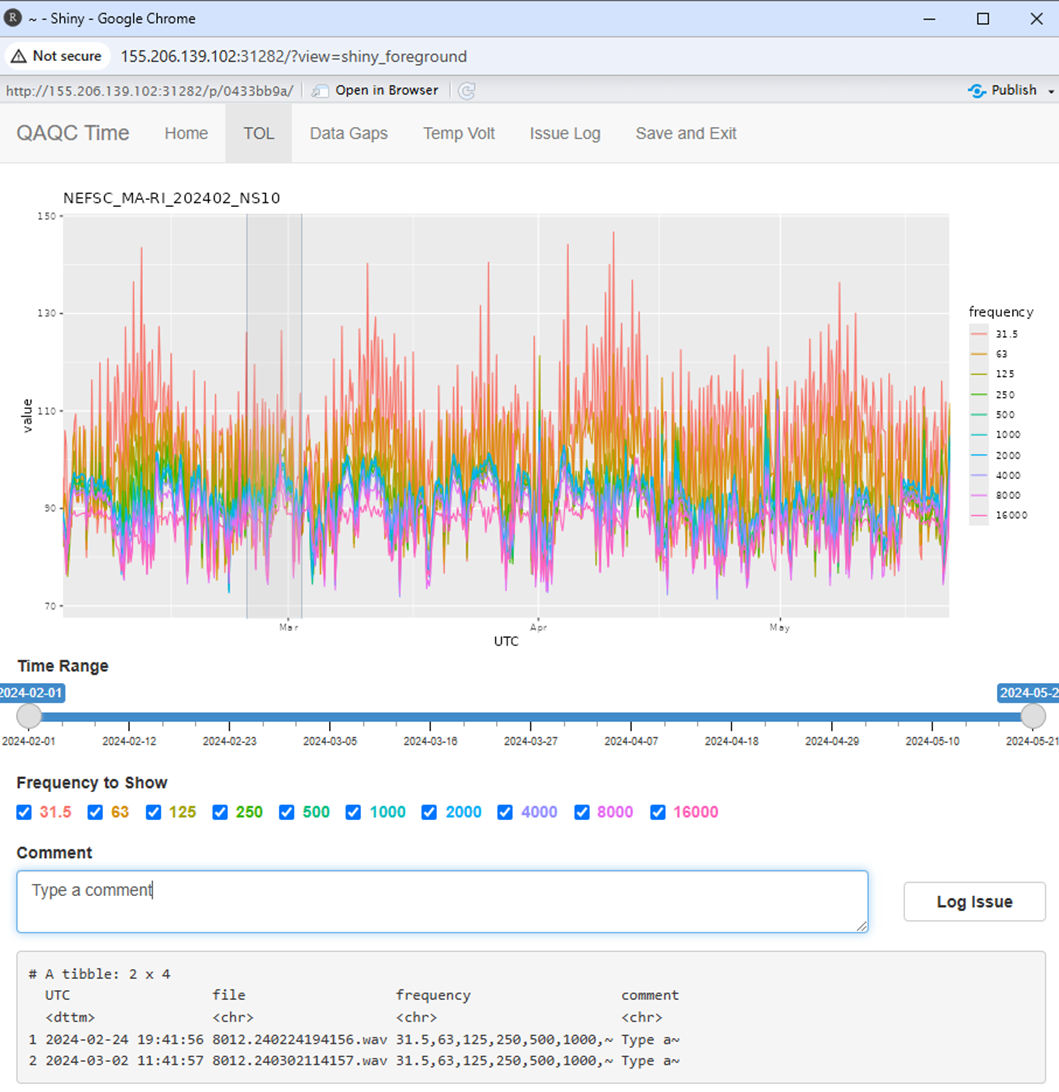
General Workflow
- Run the
evaluateDeploymentfunction by providing required inputs (ie. directory paths, calibration values, etc) to generate all QAQC output figures and save them in a provided directory - Open the Shiny app (
runQAQCReview), load the QAQC figures and data generated in the previous step, and review or annotate any compromised data - Once review is completed, or if review needs to be paused, save the issues data and stop the app.
Opportunities to expand functionality
The QAQC tools that are broadly available allow an analyst to review and annotate quality information on one directory of wav files at a time. If the necessary metadata, such a list of projects/deployments to review, their QAQC status, and paths to relevant wav files, are well organized and accessible in a spreadsheet, then this workflow can be partially automated to generate QAQC outputs for all new deployments in need of review. This functionality at NEFSC is built off of Smartsheets integrations (see details here). If your group is interested in applying this for your science center, please reach out to Taiki for support.
Accessing tools
The tools are currently available in the R package PAMscapes (v 0.14.0 or greater), see installation instructions here.