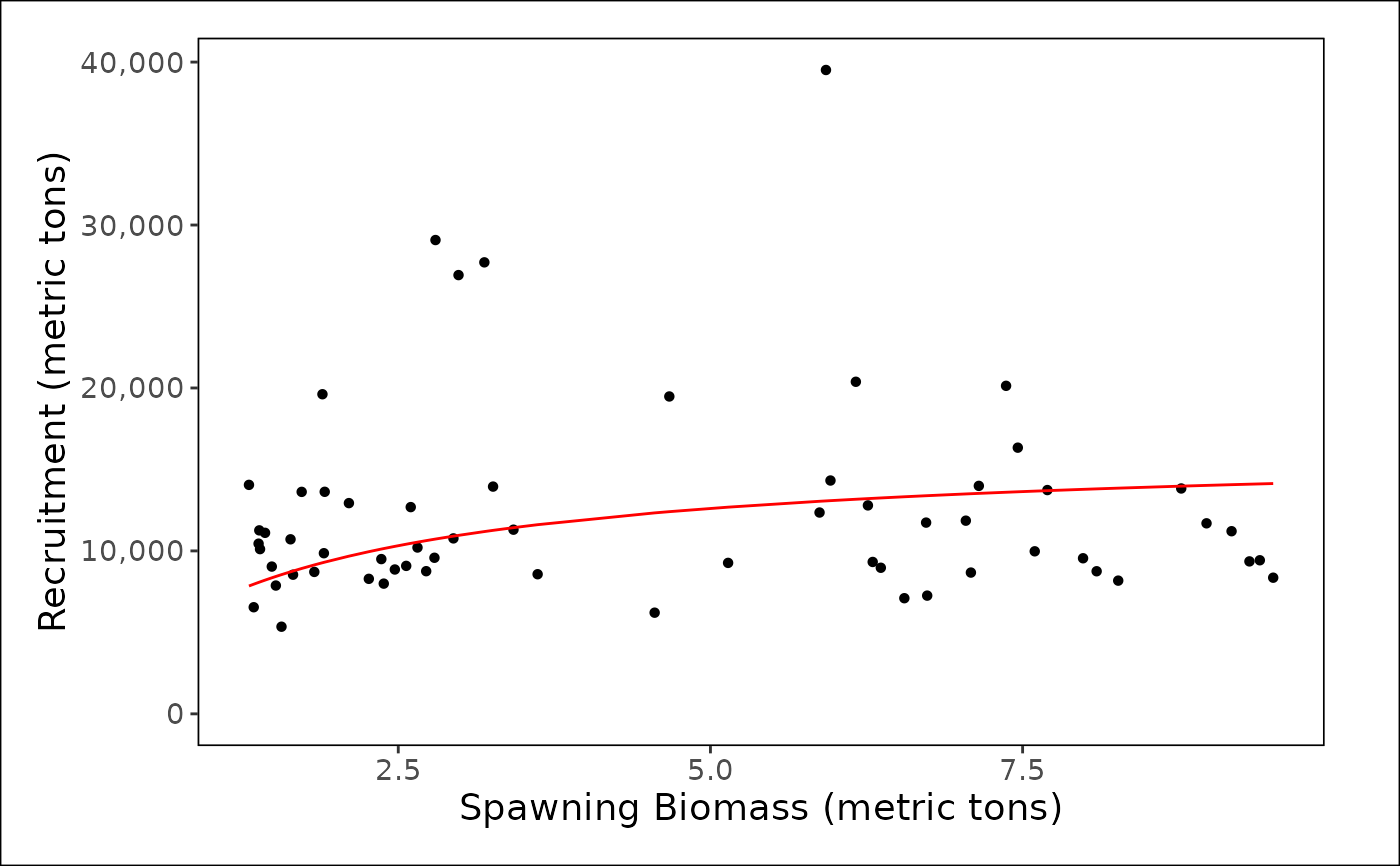
Plot Spawn-Recruit Relationship
plot_spawn_recruitment(
  dat,
  spawning_biomass_label = "mt",
  recruitment_label = "mt",
  interactive = TRUE,
  module = NULL,
  scale_amount = 1,
  make_rda = FALSE,
  figures_dir = getwd()
)
Arguments
- dat
A data frame or names list of data frames (input as `list()`) returned from convert_output. The first data frame in the list is used in calculation of a reference line if one is present
- spawning_biomass_label
Units for spawning biomass
- recruitment_label
units for recruitment
- interactive
Indicate whether the environment the plot is being made in is interactive. By default, this is set to false. If true, dependent on your data, a option menu will pop-up.
- module
(Optional) A string indicating the linked module_name associated with the label for the plot if known. Default is NULL. By default, the function will select the most relevant module if more than 1 exists.
- scale_amount
A number describing how much to scale down the quantities shown on the y axis. For example, scale_amount = 100 would scale down a value from 500,000 –> 5,000. This scale will be reflected in the y axis label.
- make_rda
TRUE/FALSE; indicate whether to produce an .rda file containing a list with the figure/table, caption, and alternative text (if figure). If TRUE, the rda will be exported to the folder indicated in the argument "figures_dir". Default is FALSE.
- figures_dir
The location of the folder containing the generated figure rda files ("figures") that will be created if the argument `make_rda` = TRUE. Default is the working directory.
Value
Plot the spawn recruitment relationship from an assessment model output file translated to a standardized output (convert_output). There are options to return a [ggplot2::ggplot()] object or export an rda object containing associated caption and alternative text for the figure.
Examples
plot_spawn_recruitment(
  dat = stockplotr:::example_data,
  interactive = FALSE,
  spawning_biomass_label = "metric tons",
  recruitment_label = "metric tons",
  module = "SPAWN_RECRUIT"
)
#> Joining with `by = join_by(year, model, estimate_lower, estimate_upper,
#> group_var)`
#> Scale for x is already present.
#> Adding another scale for x, which will replace the existing scale.
#> Scale for x is already present.
#> Adding another scale for x, which will replace the existing scale.
#> Ignoring unknown labels:
#> • colour : "Model"